Car Seat WrinkleSynthetic Defect + Style Transfer
Author one labeled wrinkle on a real car seat reference image, then retarget it across every fabric and color variant on the trim line via Style Transfer. From a clean seat to a multi-variant training library, all in one studio session.
Full Workflow
5-Step Walkthrough
Follow the full workflow from a clean reference seat, through synthetic wrinkle authoring and Style Transfer, all the way to a multi-variant training library ready for the inspection model.
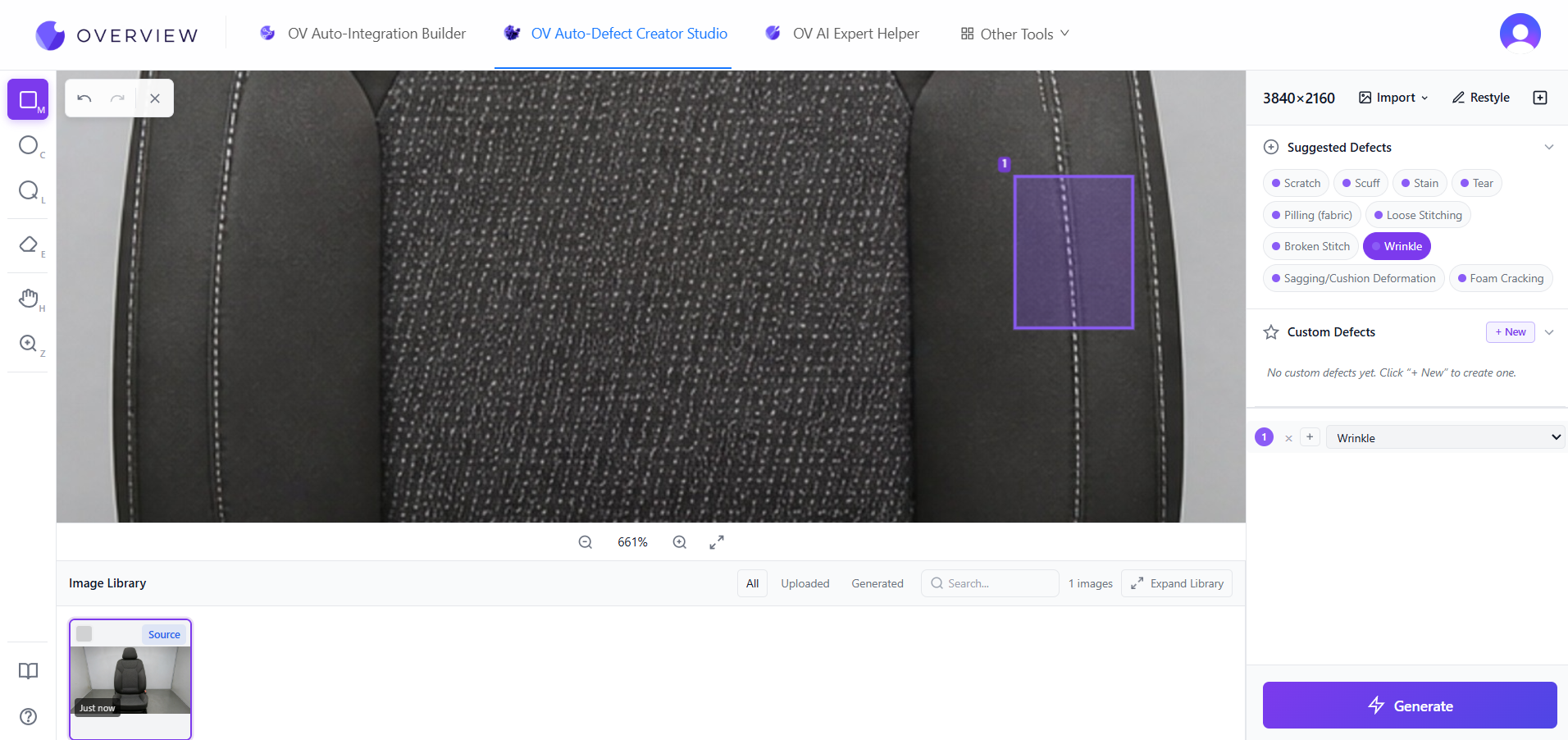
Mark The Region, Pick Wrinkle
A real OV80i capture of a clean car seat is loaded into the OV Auto-Defect Creator Studio. The operator draws a region on the seat and picks Wrinkle from the AI-suggested defect classes (alongside Scratch, Scuff, Stain, Tear, Pilling, Loose Stitching, Broken Stitch, Sagging, Foam Cracking). Custom defect classes capture plant-specific definitions that the OEM measures on receipt inspection.
Suggested classes are the starter set. Custom slots capture the plant-specific definitions, so the synthetic dataset learns the defects the OEM actually rejects on, not just the canonical ones.
What This Demonstrates
Capabilities on Display
The car seat walkthrough proves four properties of synthetic-data inspection that matter for multi-variant automotive trim lines.
AI Material Detection
The studio recognizes the seat material and surfaces the relevant style and defect axes automatically. No manual recipe configuration.
Synthetic + Custom Defect Classes
Suggested classes (wrinkle, scratch, stain, tear, pilling, loose stitching, sagging) plus a plant-specific custom class slot. If the OEM measures it, the studio synthesizes it.
Style Transfer Across Fabrics
One labeled wrinkle becomes a labeled wrinkle on every fabric variant. Leather, fabric, vinyl, suede. Color axes compose with material axes without re-shooting.
Production-Ready HMI
The same recipe runs on the OV80i HMI with full production statistics. False reject rate stays under 1% across the variant catalog.
Why Style Transfer
One Wrinkle, Every Fabric
The Variant Problem
A trim line that runs 14 fabric and color variants does not have time for 14 defect-data-collection projects. Without Style Transfer, each variant needs its own labeled wrinkle dataset. With Style Transfer, one labeled wrinkle covers them all.
The Onboarding Win
Adding a new fabric to the catalog drops from a multi-week data-collection effort to a one-minute Style Transfer pass. The inspection model sees the new variant on day one of the changeover, not weeks later.
Style Axes Compose
Upholstery color, primary material, bolster contrast, stitching color, panel texture, headrest shape. The studio composes these axes without bounds, so a 14-variant catalog generates from a single authoring action.
Custom Defects Cross Fabrics
Plant-specific custom defect classes (the things the OEM customer measures on receipt inspection) retarget across fabrics alongside the canonical defect types. Every quality definition propagates automatically.
Explore More
Other Use Cases
See how the same studio handles different product types and defect generation scenarios.
Wood Flooring Scratch Inspection
Engineered flooring scratch inspection trained entirely on synthetic data, then retargeted across laminate and composite finishes with Style Transfer.
Contaminant Verification
Food-safety contaminant detection on an oatmeal belt. Trained on synthetic foreign-object defects, validated on a real nail.
Build Car Seat Inspection in One Studio Session
Send us a clean reference seat from your line. We return a working wrinkle inspection model, style-transferred across every fabric and color in your OEM catalog, ready for a 30-day pilot.