Detecting Diesel Effect (Charred Spots) in Thin-Wall Housing: A Complete Machine Vision Guide
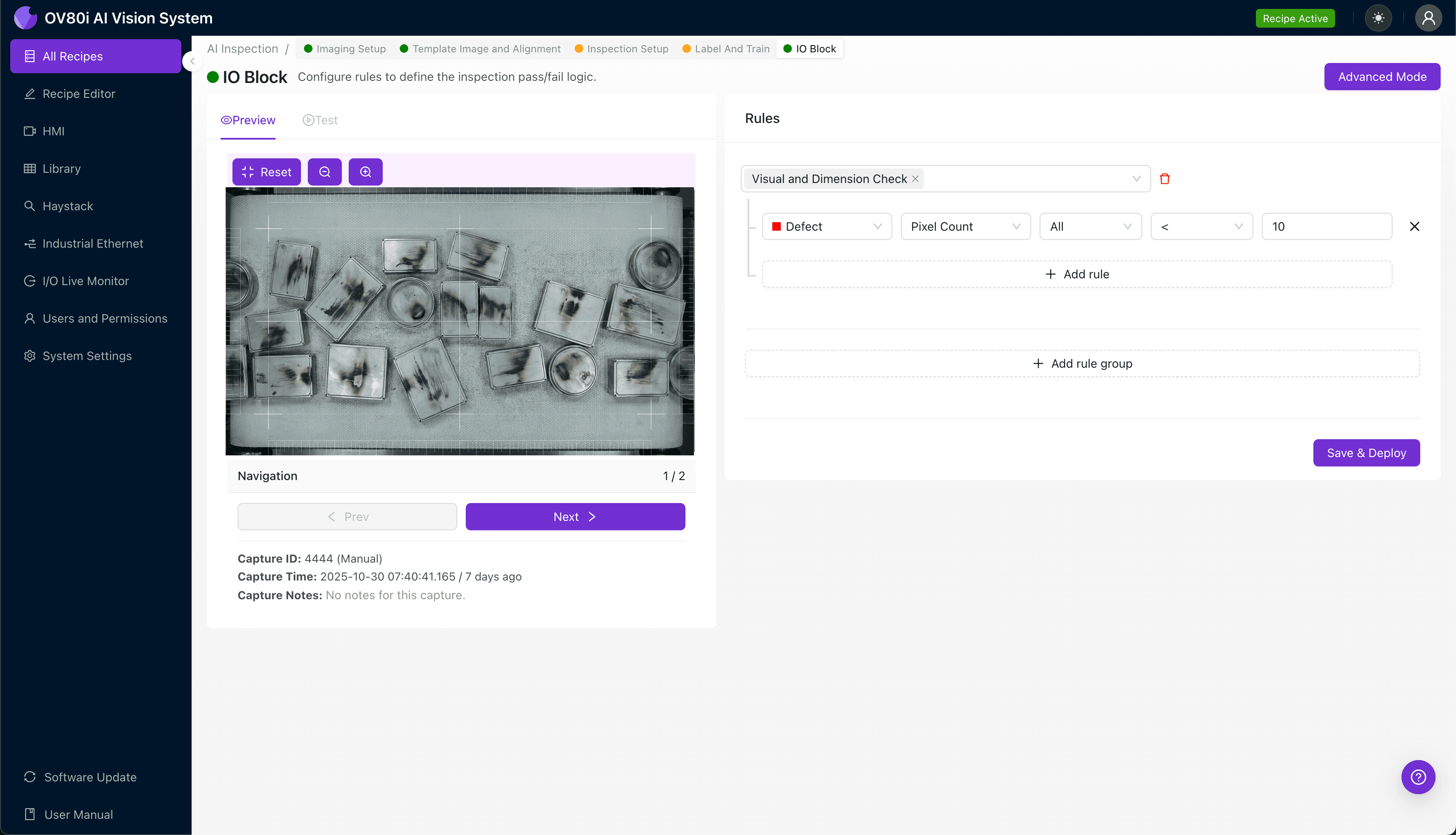
"Diesel effect defects in thin-wall housings create charred spots that compromise structural integrity—yet they're nearly impossible to catch consistently with manual inspection. AI-powered machine vision eliminates inspector fatigue and catches 100% of burn marks at full production speed."
The Problem: Why Diesel Effect Defects Slip Through Manual Inspection
Thin-wall housings are critical components in automotive, electronics, and consumer goods manufacturing—where even minor defects can compromise structural integrity and product performance. The diesel effect, a combustion phenomenon during injection molding that creates charred spots, represents one of the most challenging quality issues to detect consistently.
Common Defects Found in Thin-Wall Housing with Diesel Effect:
- Localized burn marks — dark brown or black discoloration caused by trapped air igniting under compression
- Surface charring — carbonized material deposits along flow paths and weld lines
- Micro-pitting — small craters where combusted material has degraded the surface
- Discolored streaking — linear char patterns following gas escape routes
- Material degradation zones — weakened areas with compromised mechanical properties
- Edge carbonization — concentrated burning at thin-wall transitions and corners
Human inspectors struggle to maintain accuracy when examining these defects at production speeds. Inspector fatigue sets in quickly—especially when distinguishing subtle char marks from acceptable color variations—leading to inconsistent pass/fail decisions across shifts.
The Solution: AI-Powered Visual Inspection
Machine vision systems powered by deep learning eliminate the subjectivity and fatigue that plague manual inspection. Unlike rule-based systems that require explicit programming for every defect variation, AI models learn to recognize the full spectrum of diesel effect presentations—from obvious burn marks to subtle discoloration.
Overview.ai's approach delivers consistent, objective inspection at full line speed. The OV80i system inspects 100% of parts without bottlenecking production, catching defects that would otherwise reach customers or cause downstream assembly failures.
Step 1: Imaging Setup
Position the thin-wall housing under the OV80i camera, ensuring the inspection surface faces upward with consistent orientation. Proper lighting is critical for detecting subtle char marks—angled illumination often reveals surface defects that direct lighting misses.
Click "Configure Imaging" to access the Camera Settings panel. Adjust exposure to capture full detail in both light and darkened (charred) areas, and fine-tune gain to optimize contrast without introducing noise.
Click "Save" to lock in your imaging configuration.
Step 2: Image Alignment
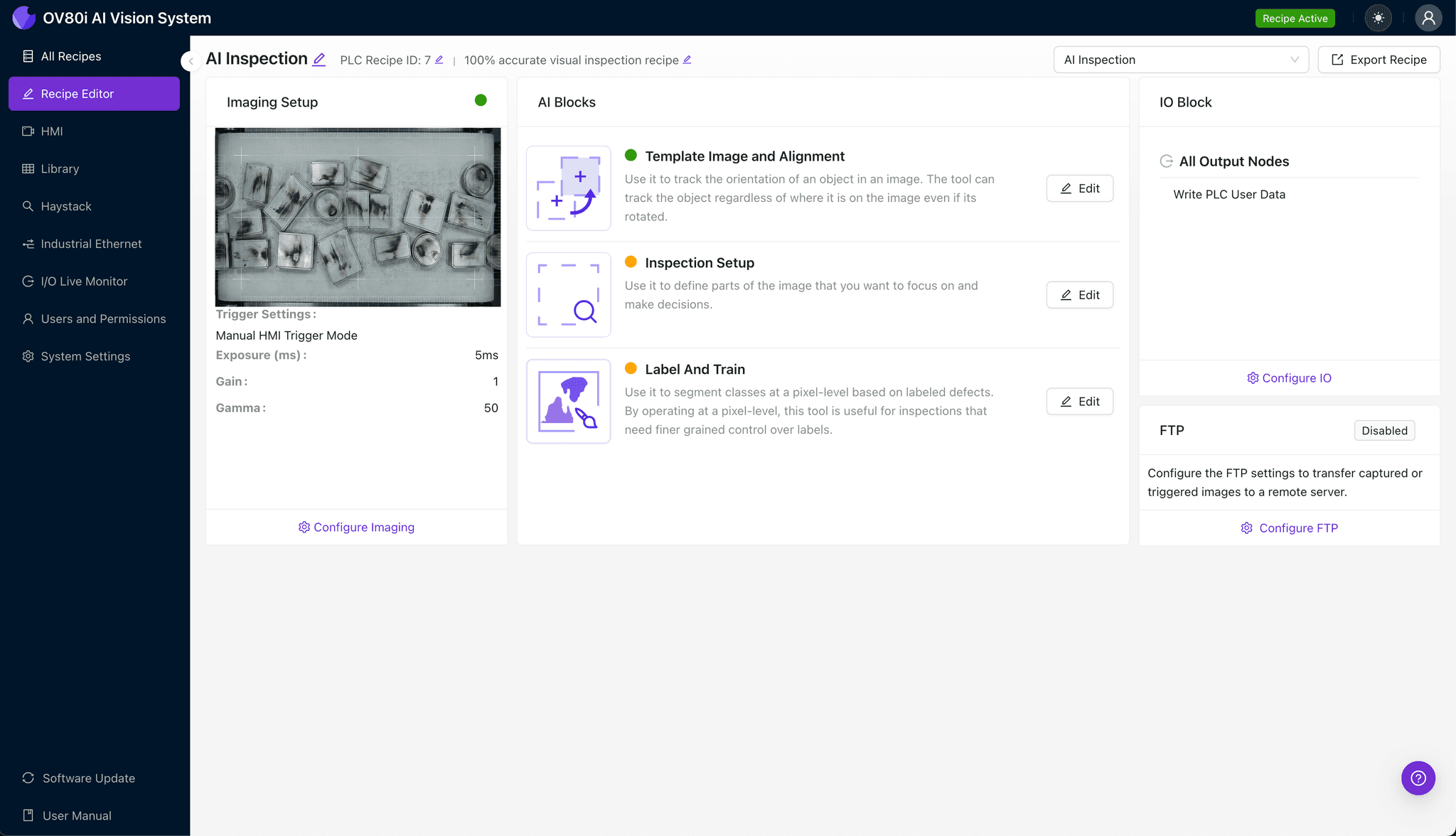
Navigate to the "Template Image" section and capture a reference image of a correctly positioned housing. This template ensures every subsequent part is evaluated from the same orientation.
Click "+ Rectangle" to add an alignment region around the main body of the housing. Set the "Rotation Range" to 20 degrees to accommodate minor part placement variations on the conveyor or fixture.
Step 3: Inspection Region Selection
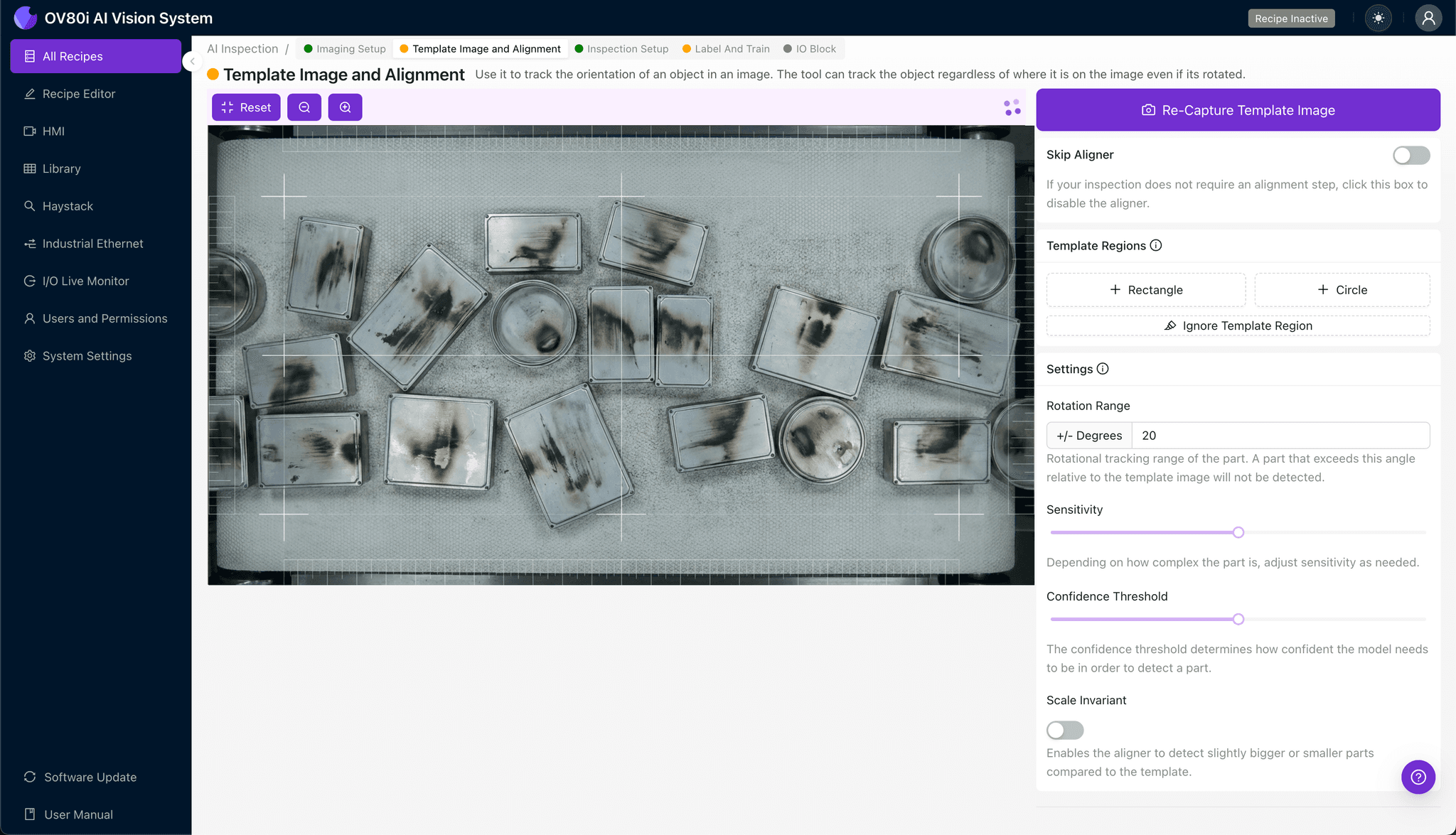
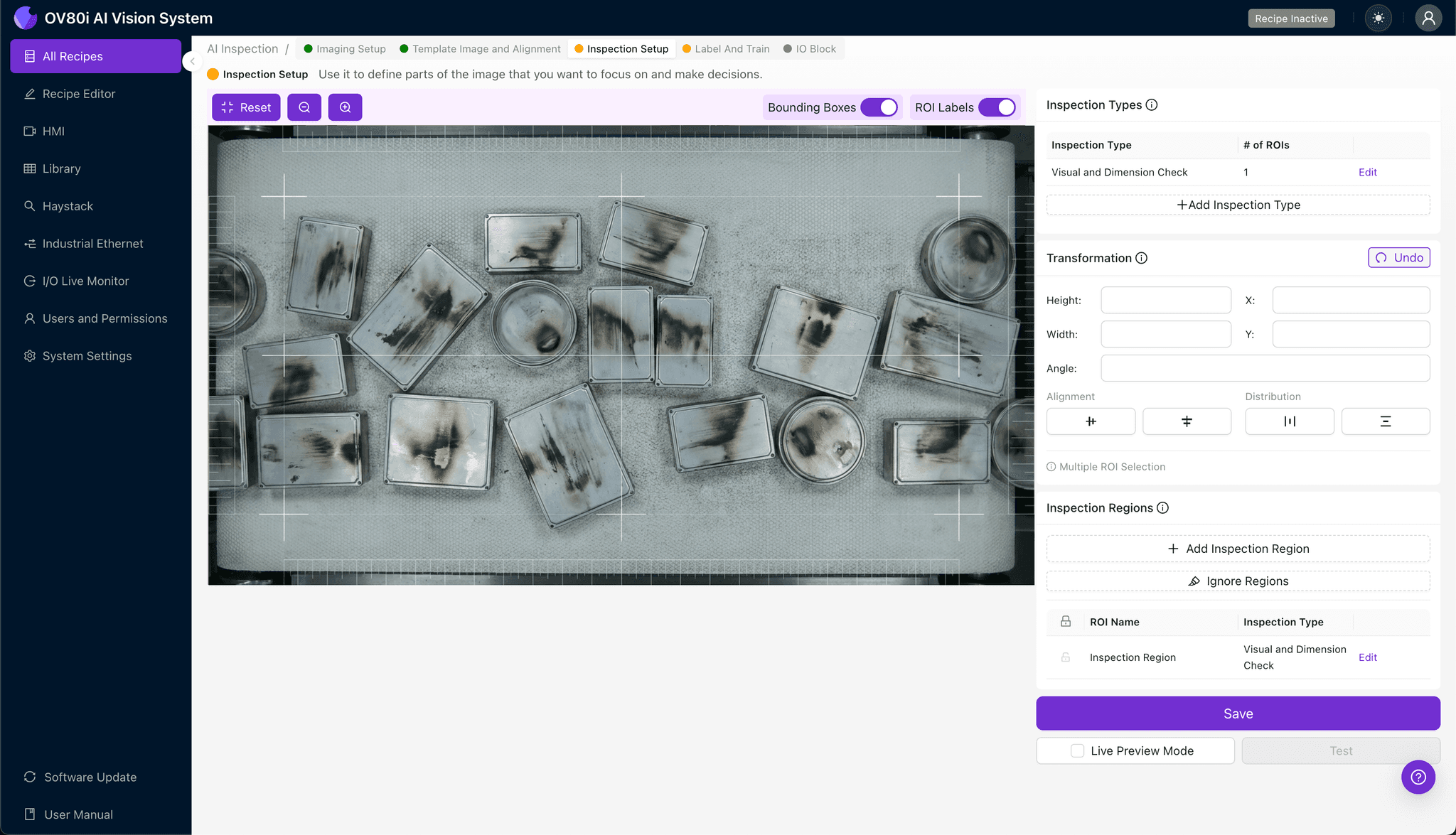
Navigate to "Inspection Setup" to define where the system should look for defects. Rename your "Inspection Types" to reflect specific concerns—for example, "Diesel_Effect_Surface" or "Char_Marks_Edge."
Click "+ Add Inspection Region" to create a new detection zone. Resize the yellow bounding box to cover critical defect areas—typically thin-wall transitions, corners, weld lines, and flow path endpoints where diesel effect most commonly occurs.
Click "Save" to confirm your inspection regions.
Step 4: Labeling Data
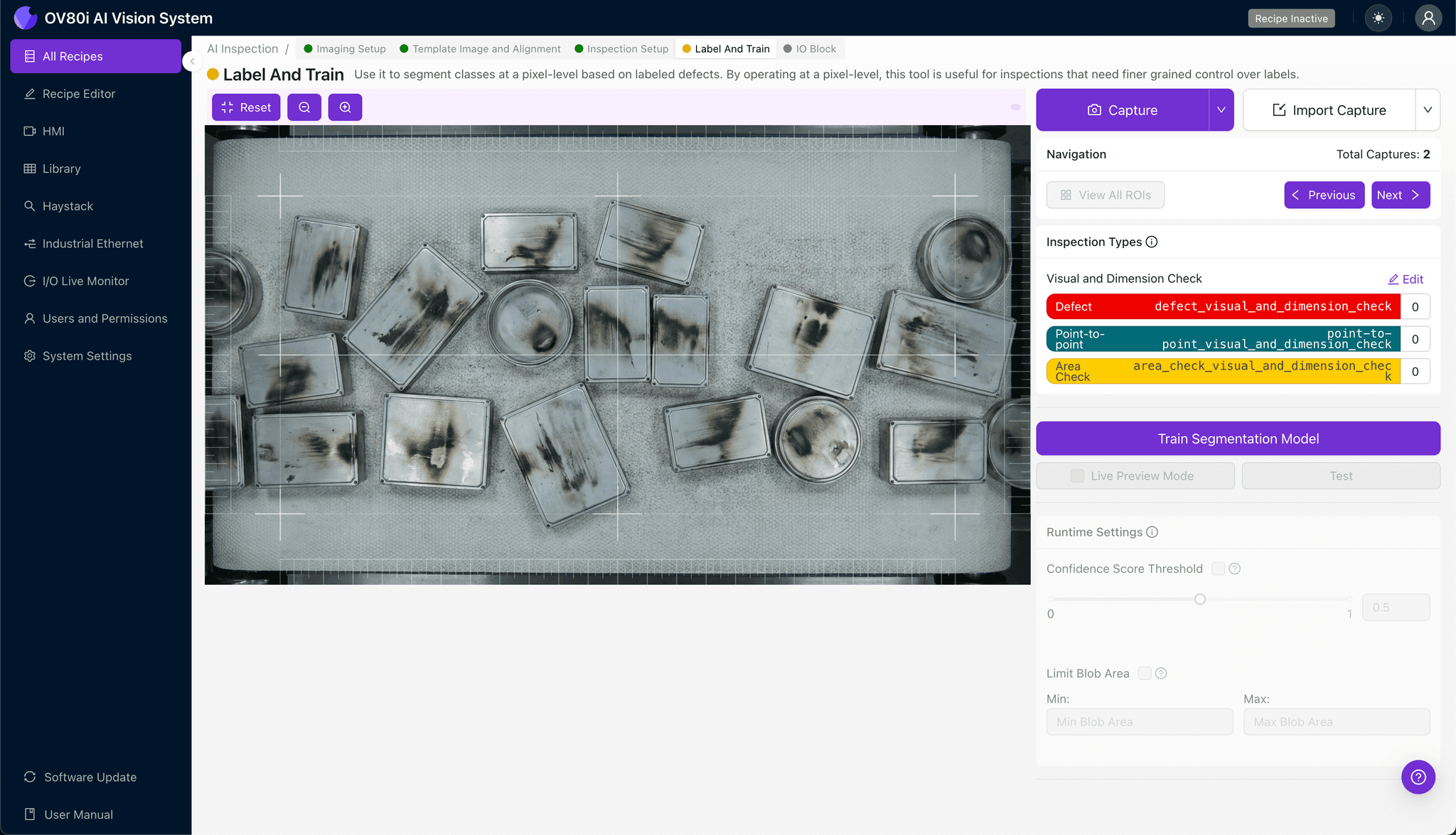
The human-in-the-loop labeling process trains the AI to distinguish acceptable parts from rejects. Review captured images and label each as Good (no diesel effect) or Bad (charred spots present).
Include representative samples across the full range of acceptable variation and known failure modes. Labeling edge cases—parts with very subtle char marks—teaches the model where your quality threshold lies.
Step 5: Creating Rules
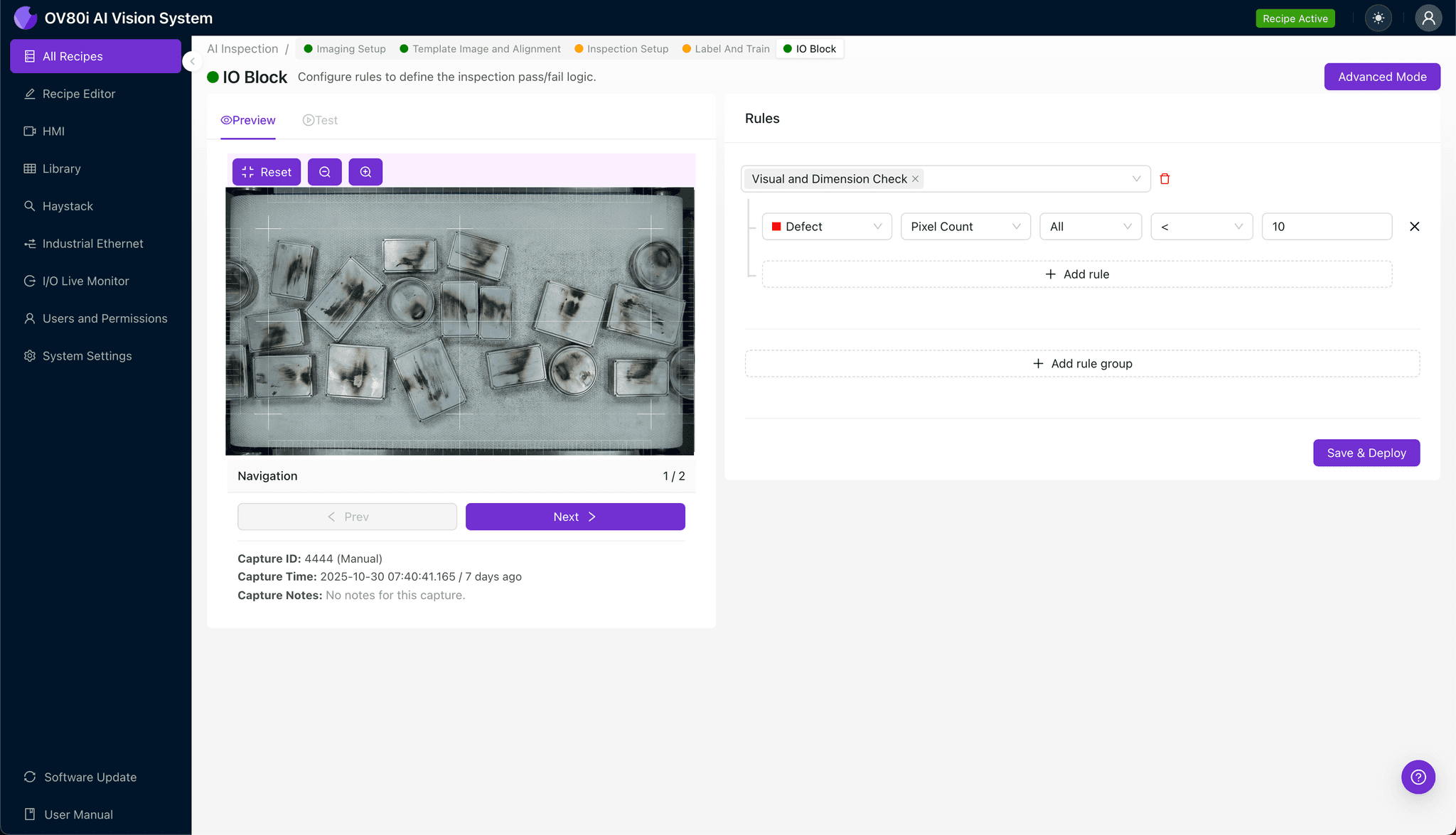
Define your pass/fail logic based on the Inspection Types you created. For example, set the rule: "If Diesel_Effect_Surface = Bad, then REJECT."
These rules gate automated acceptance on the line, triggering reject mechanisms or operator alerts when charred parts are detected.
Key Outcomes & ROI
Implementing AI-powered inspection for diesel effect detection delivers measurable business impact:
- Reduced scrap rates — catch defective parts before secondary operations add cost
- Higher throughput — inspect 100% of parts without slowing production or adding headcount
- Compliance and traceability — maintain detailed inspection records with timestamped images for audits and customer requirements
- Process improvement insights — identify patterns linking diesel effect occurrence to specific molds, materials, or process parameters
Conclusion
Diesel effect defects in thin-wall housings demand inspection capabilities that exceed human limitations. Overview.ai's machine vision platform provides the consistency, speed, and accuracy manufacturers need to eliminate charred parts from their production stream—protecting both quality reputation and bottom-line profitability.
Eliminate Diesel Effect Defects Today
Stop relying on manual inspection. Deploy Overview.ai to catch charred spots and burn marks instantly.