Multi-Cavity Mold with Unbalanced Flow: A Complete Visual Inspection Guide
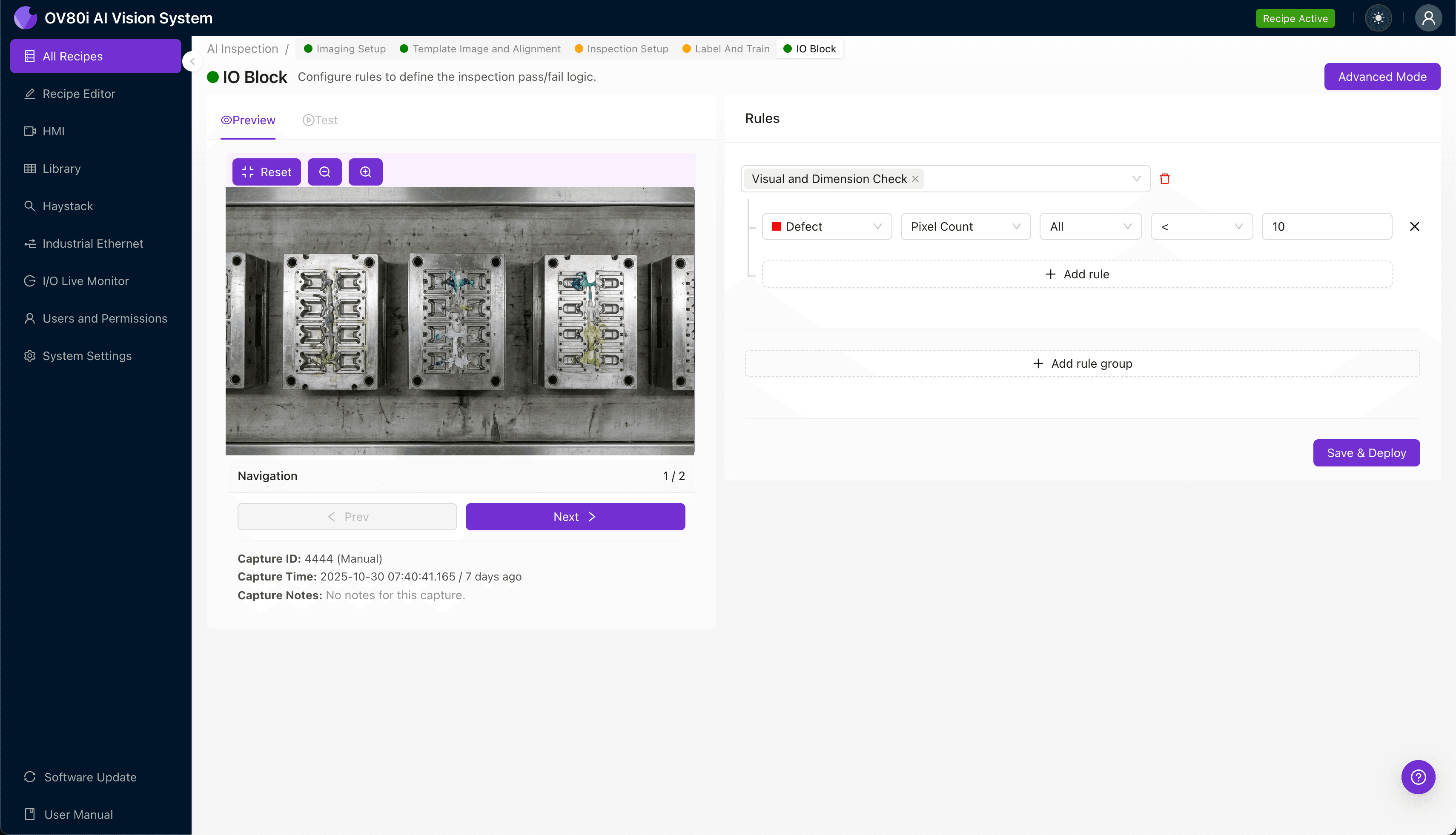
"Unbalanced flow in multi-cavity molds creates hidden quality risks with cavity-to-cavity variations that defeat manual inspection. AI-powered machine vision detects subtle defect patterns across all cavities at full production speed, transforming cavity variance into actionable process intelligence."
The Problem: Cavity Variance Creates Hidden Quality Risks
Multi-cavity molds are essential for high-volume injection molding production, but unbalanced flow between cavities remains one of the most persistent quality challenges in plastics manufacturing. When polymer melt doesn't fill each cavity uniformly, the result is dimensional inconsistency and defect patterns that vary from cavity to cavity.
Common Defects from Cavity Flow Imbalance:
- Short shots — incomplete cavity fill due to insufficient material reaching outer cavities
- Flash — excess material escaping at parting lines in overpacked cavities
- Sink marks — surface depressions from uneven cooling and packing pressure
- Warpage — dimensional distortion caused by differential shrinkage rates across cavities
- Weld line weakness — structural defects where flow fronts meet at varying temperatures
- Gloss variation — inconsistent surface finish revealing fill-rate differences between cavities
Manual inspection of multi-cavity parts is notoriously unreliable because inspectors must simultaneously evaluate numerous parts with subtle, cavity-specific variations. Human fatigue sets in quickly when comparing dozens of nearly identical parts per minute, and the consistency required to catch cavity-to-cavity drift is simply beyond human capability at production speeds.
The Solution: Machine Vision Powered by Deep Learning
Machine vision systems equipped with deep learning algorithms excel at precisely the task that defeats human inspectors: detecting subtle, repeatable patterns across high volumes of similar parts. Unlike rule-based systems that struggle with the natural variation inherent in injection molding, AI-powered inspection learns the acceptable range for each cavity position and flags statistical outliers.
Overview.ai's approach delivers consistent, objective inspection at full line speed—evaluating every part from every cavity without sampling compromises. The system builds cavity-specific baselines, enabling manufacturers to identify not just defective parts, but problematic cavities before scrap rates escalate.
Step 1: Imaging Setup
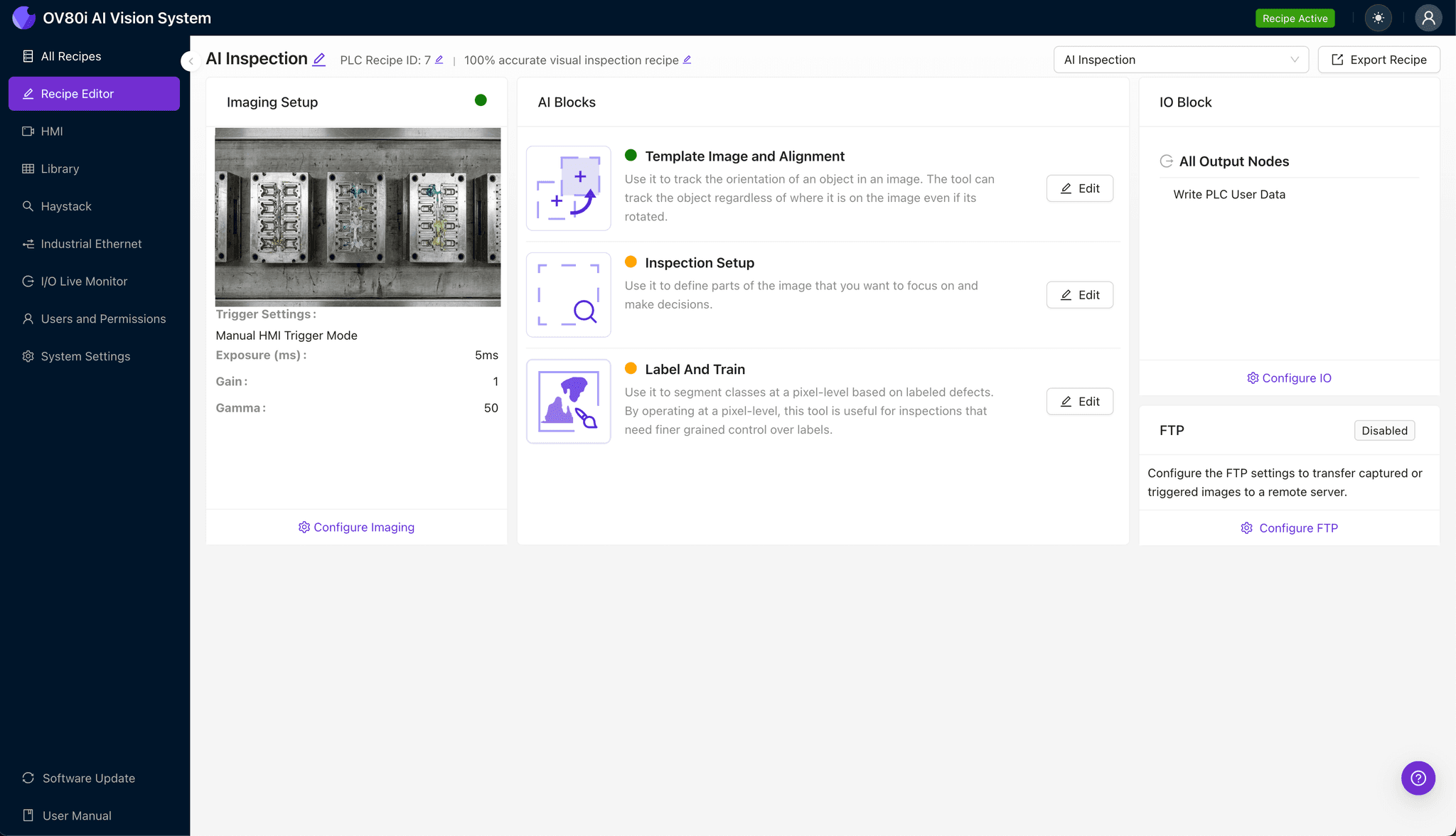
Position your multi-cavity molded parts under the OV80i camera system, ensuring consistent orientation as parts exit the mold or arrive via conveyor. Proper lighting is critical for detecting surface defects like sink marks and gloss variation.
Click "Configure Imaging" in the Overview interface to access Camera Settings. Adjust exposure and gain until surface details are clearly visible without overexposure on reflective areas.
Click "Save" to lock in your imaging parameters.
Step 2: Image Alignment
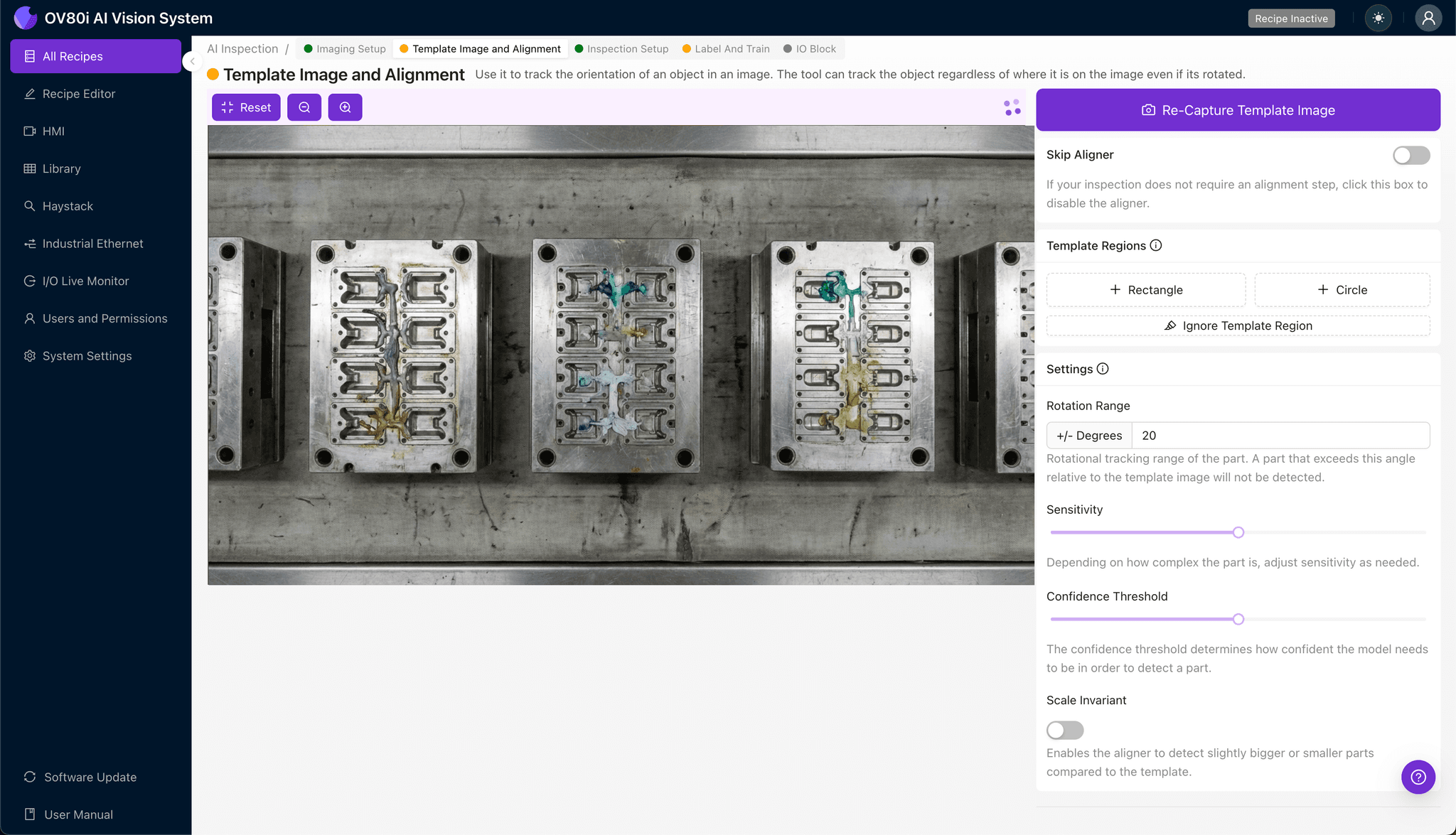
Navigate to "Template Image" in the setup menu. Capture a Template using a known-good part positioned in the standard orientation.
Click "+ Rectangle" to add an alignment region around the main body of the part. This anchor point ensures consistent inspection regardless of minor positioning variation.
Set "Rotation Range" to 20 degrees to accommodate any rotational variance in part presentation on the line.
Step 3: Inspection Region Selection
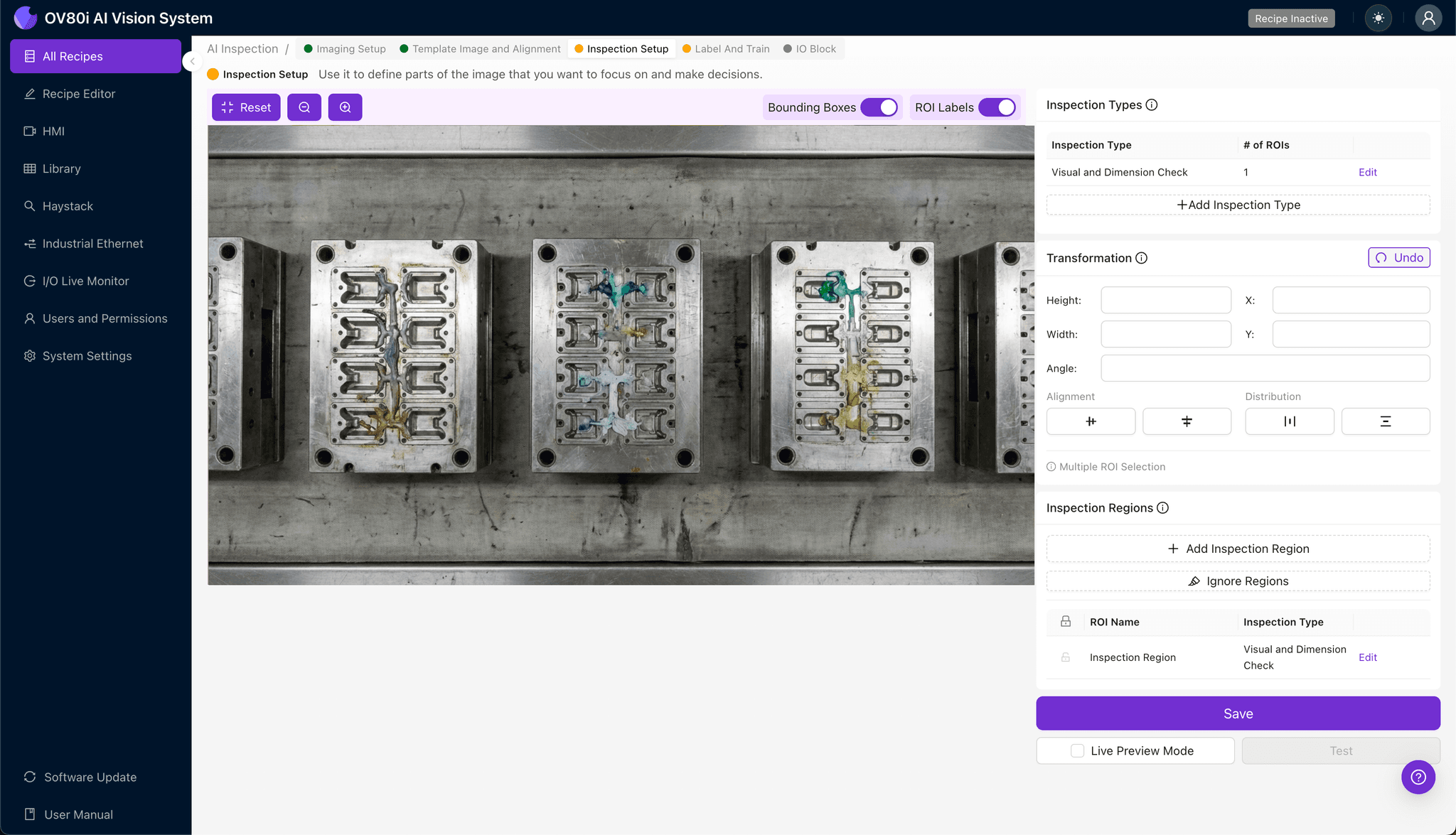
Navigate to "Inspection Setup" to define your critical evaluation zones. Rename your "Inspection Types" to reflect cavity-specific defects—for example, "Short Shot," "Sink Mark," or "Flash Detection."
Click "+ Add Inspection Region" for each defect category. Resize the yellow bounding box to cover critical areas: gate locations, thin-wall sections, parting lines, and cosmetic surfaces.
Click "Save" after configuring all inspection regions.
Step 4: Labeling Data
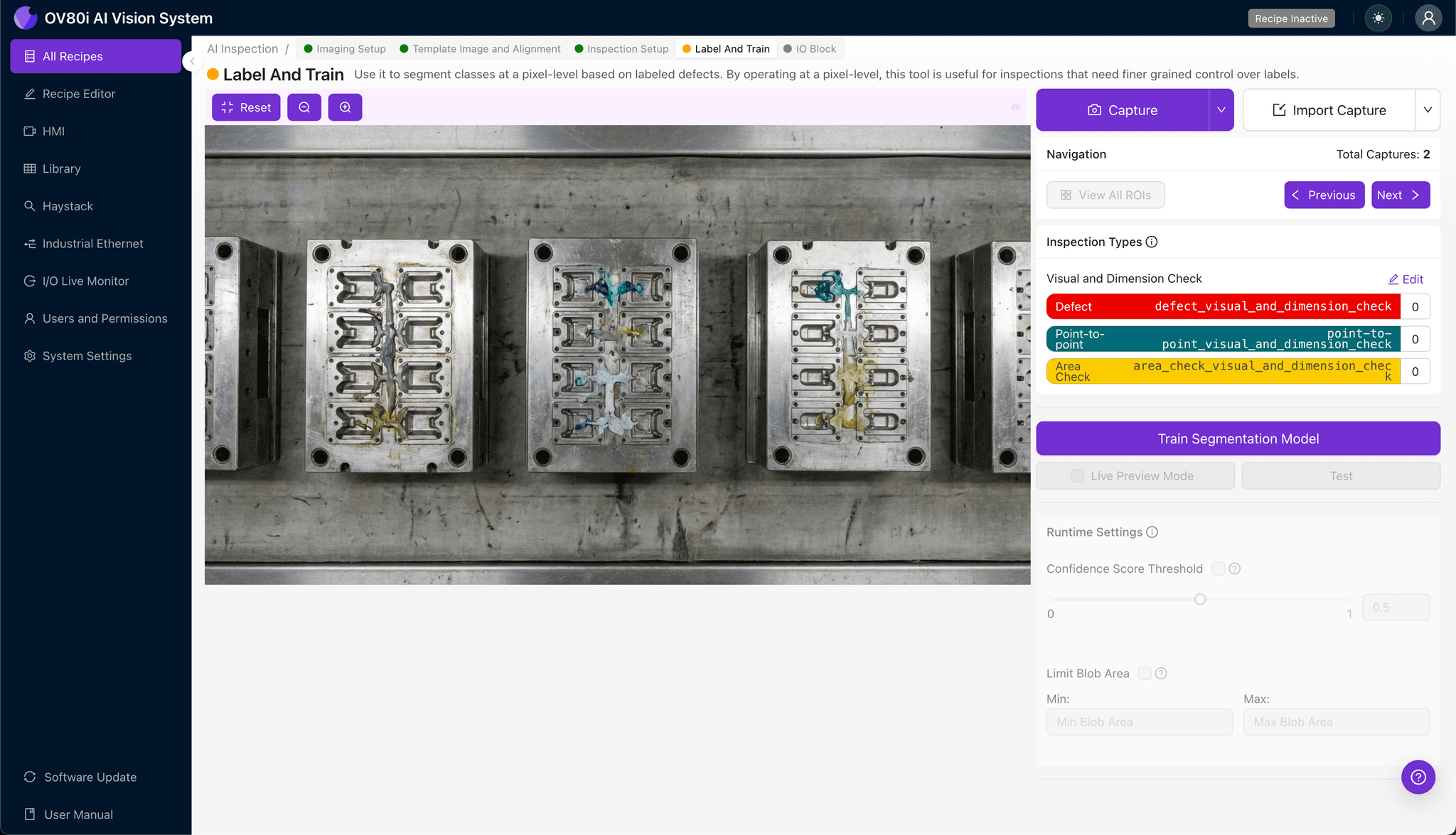
The human-in-the-loop labeling process trains the AI to recognize your specific quality standards. Review captured images and label each as Good or Bad based on your acceptance criteria.
Include representative samples across all cavities, capturing the natural variation between cavity positions. Ensure known failure modes—short shots from outer cavities, flash from inner cavities—are well-represented in your training dataset.
Step 5: Creating Rules
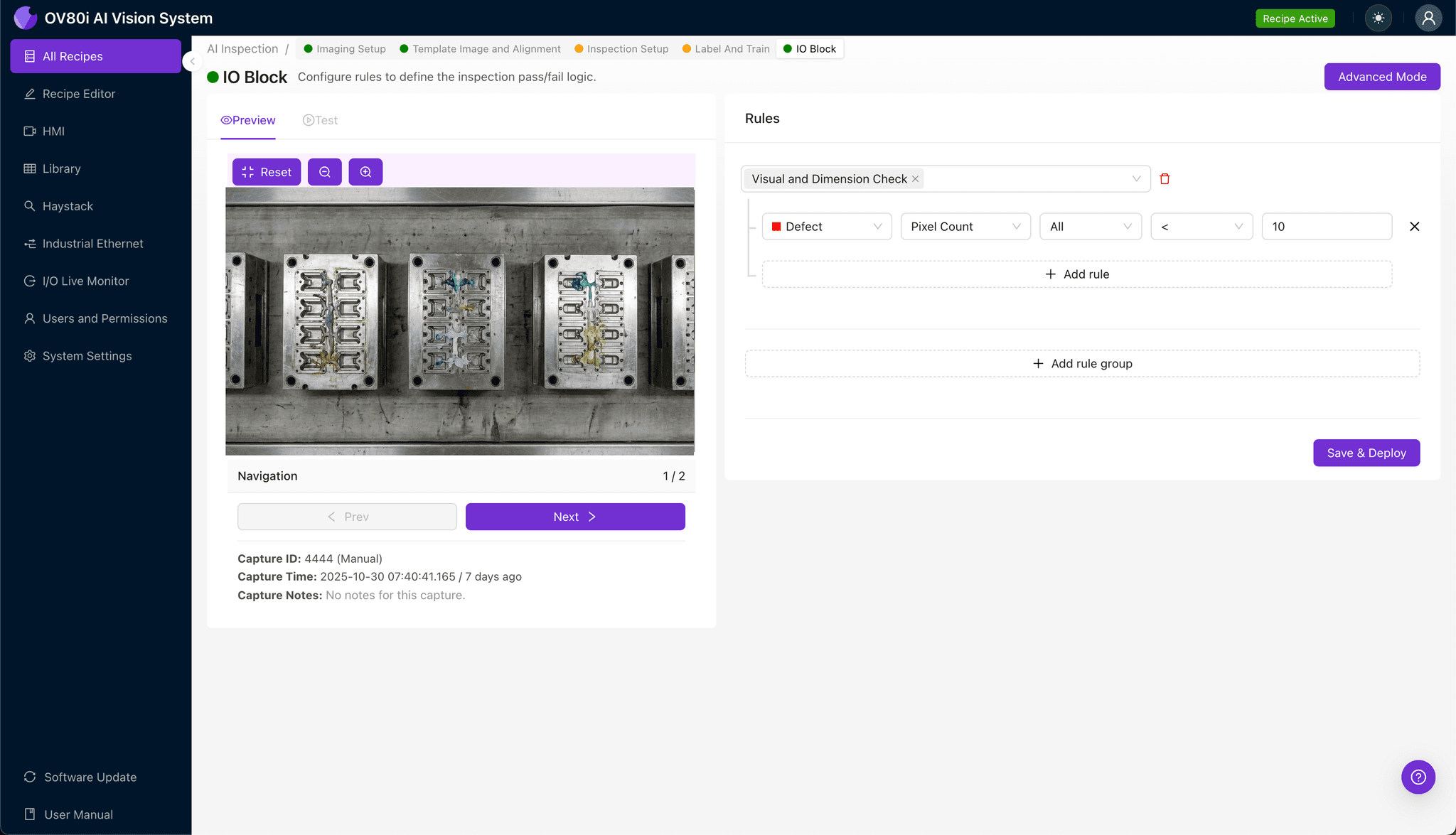
Configure pass/fail logic based on your defined Inspection Types. Set thresholds that align with customer specifications and internal quality standards.
Gate automated acceptance on the line by linking inspection results to rejection mechanisms. Parts failing any critical inspection trigger automatic diversion, ensuring only conforming parts proceed downstream.
Key Outcomes & ROI
Implementing AI-powered visual inspection for multi-cavity mold monitoring delivers measurable business value:
- Reduced scrap rates — catch cavity-specific issues before they produce hours of defective parts
- Higher throughput — eliminate inspection bottlenecks with 100% inline evaluation at full production speed
- Compliance and traceability — maintain detailed inspection records linking defects to specific cavities, timestamps, and production runs
- Process improvement insights — identify underperforming cavities and correlate defect patterns with process parameters for targeted mold maintenance
By transforming cavity variance from a hidden quality risk into actionable production intelligence, Overview.ai helps manufacturers turn their multi-cavity molds into consistent, high-yield assets.
Eliminate Cavity Variance Defects Today
Stop relying on manual inspection for multi-cavity molds. Deploy Overview.ai to catch defects instantly across every cavity.