Connector Wafer with Ejector Pin Marks: A Complete Visual Inspection Guide
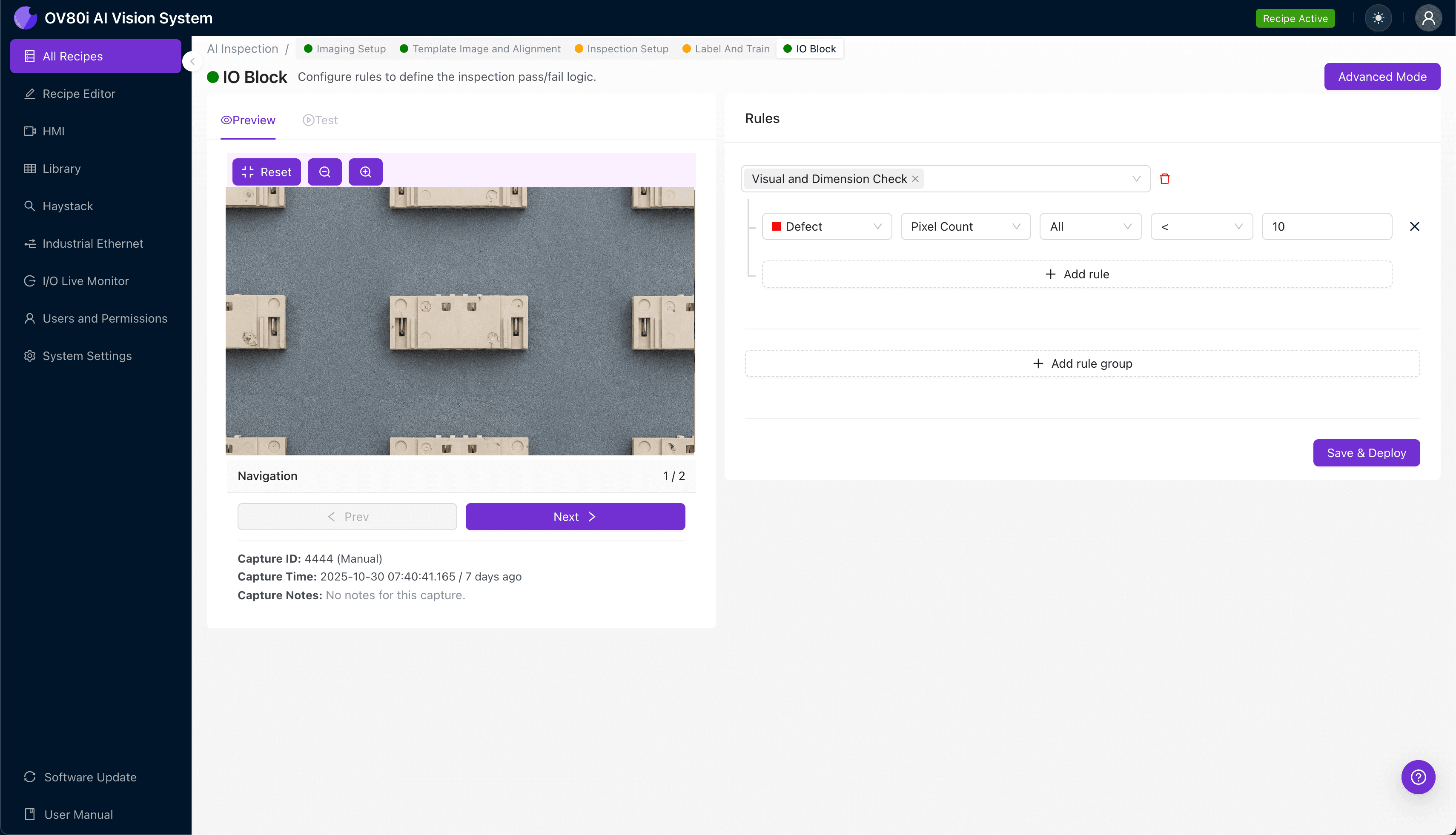
"Ejector pin marks on connector wafers can compromise electrical connections and customer acceptance. Deep learning-powered visual inspection detects subtle defects like depth variations, stress whitening, and micro-fractures that human inspectors miss during high-speed production."
The Problem: Why Ejector Pin Mark Defects Slip Through Manual Inspection
Connector wafers are precision components critical to reliable electrical connections in automotive, consumer electronics, and industrial applications. When ejector pins leave marks during the injection molding process, these defects can compromise both functionality and customer acceptance.
Common Defects Found in Connector Wafers with Ejector Pin Marks
- Deep pin impressions – Excessive pin pressure creating marks that penetrate beyond acceptable depth tolerances
- Off-center pin marks – Misaligned ejector pins leaving marks outside designated witness areas
- Flash or burrs around pin sites – Material displacement causing raised edges near ejection points
- Stress whitening – Localized material stress appearing as white hazing around pin contact zones
- Surface cracking – Micro-fractures radiating from pin mark locations due to premature ejection
- Incomplete ejection marks – Partial pin contact indicating sticking or tooling wear issues
Human inspectors struggle to maintain consistent evaluation of these subtle surface variations across thousands of parts per shift. Inspector fatigue, subjective judgment calls, and the microscopic nature of acceptable versus rejectable marks make manual inspection unreliable at production speeds.
The Solution: Machine Vision and Deep Learning for Consistent Detection
Traditional rule-based vision systems fail with ejector pin mark inspection because the difference between an acceptable witness mark and a rejectable defect is often subtle and context-dependent. Deep learning models excel here—they learn the nuanced boundaries between "good" and "bad" from labeled examples, just as an experienced quality engineer would.
Overview.ai's approach delivers consistent, objective inspection at full line speed. The OV80i system evaluates every single connector wafer against trained criteria, eliminating the variability inherent in human judgment while capturing defect data for upstream process improvement.
Step 1: Imaging Setup
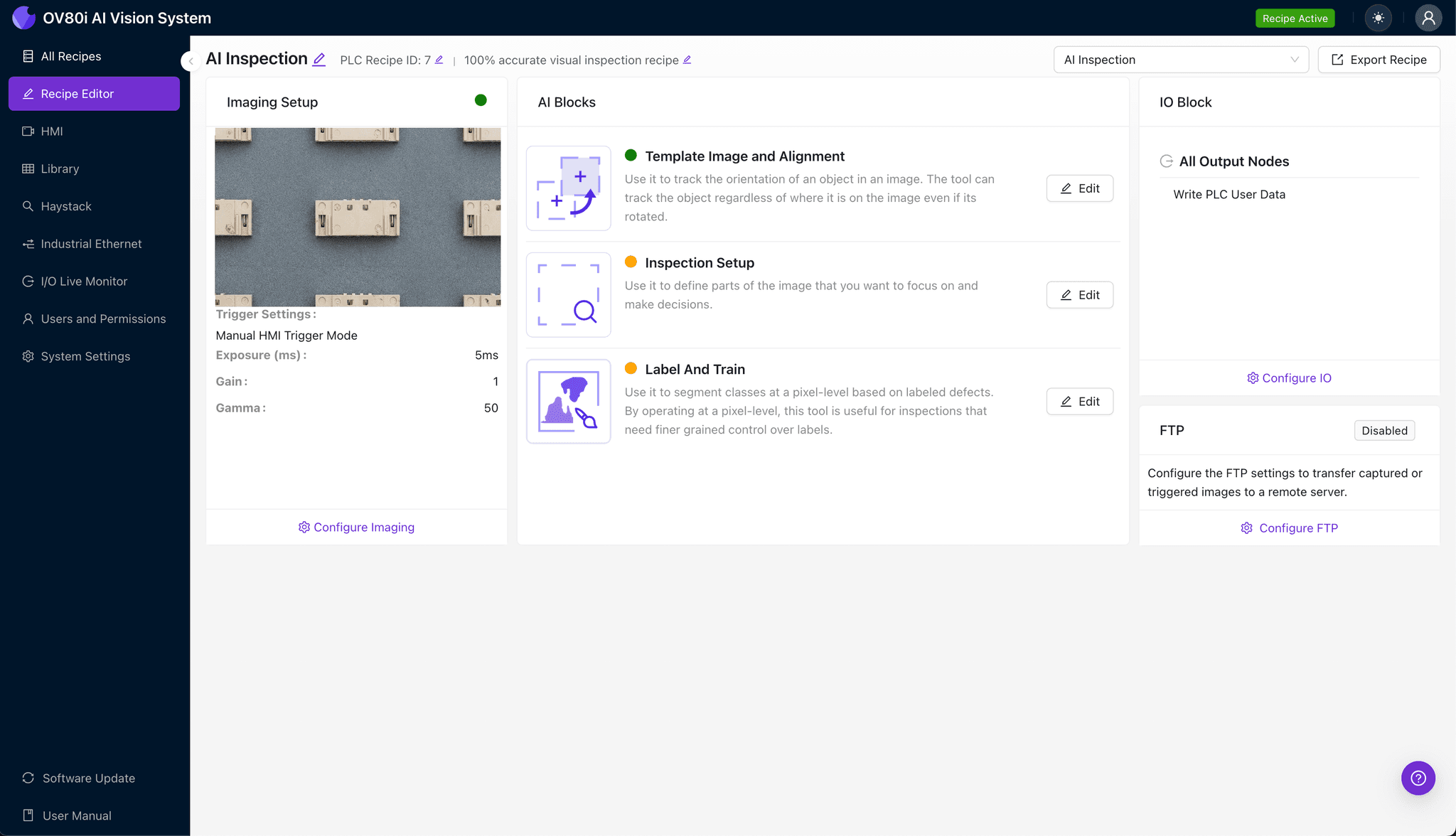
Position the connector wafer under the OV80i camera system, ensuring the ejector pin mark surfaces face the lens with consistent orientation. Proper fixturing at this stage prevents part-to-part variation that could affect inspection accuracy.
Click "Configure Imaging" in the Overview.ai interface to access camera controls. Adjust Camera Settings including exposure time and gain to achieve clear visibility of pin mark depth and surface texture—look for sharp shadow definition around mark edges.
Click "Save" to lock in your optimized imaging parameters.
Step 2: Image Alignment
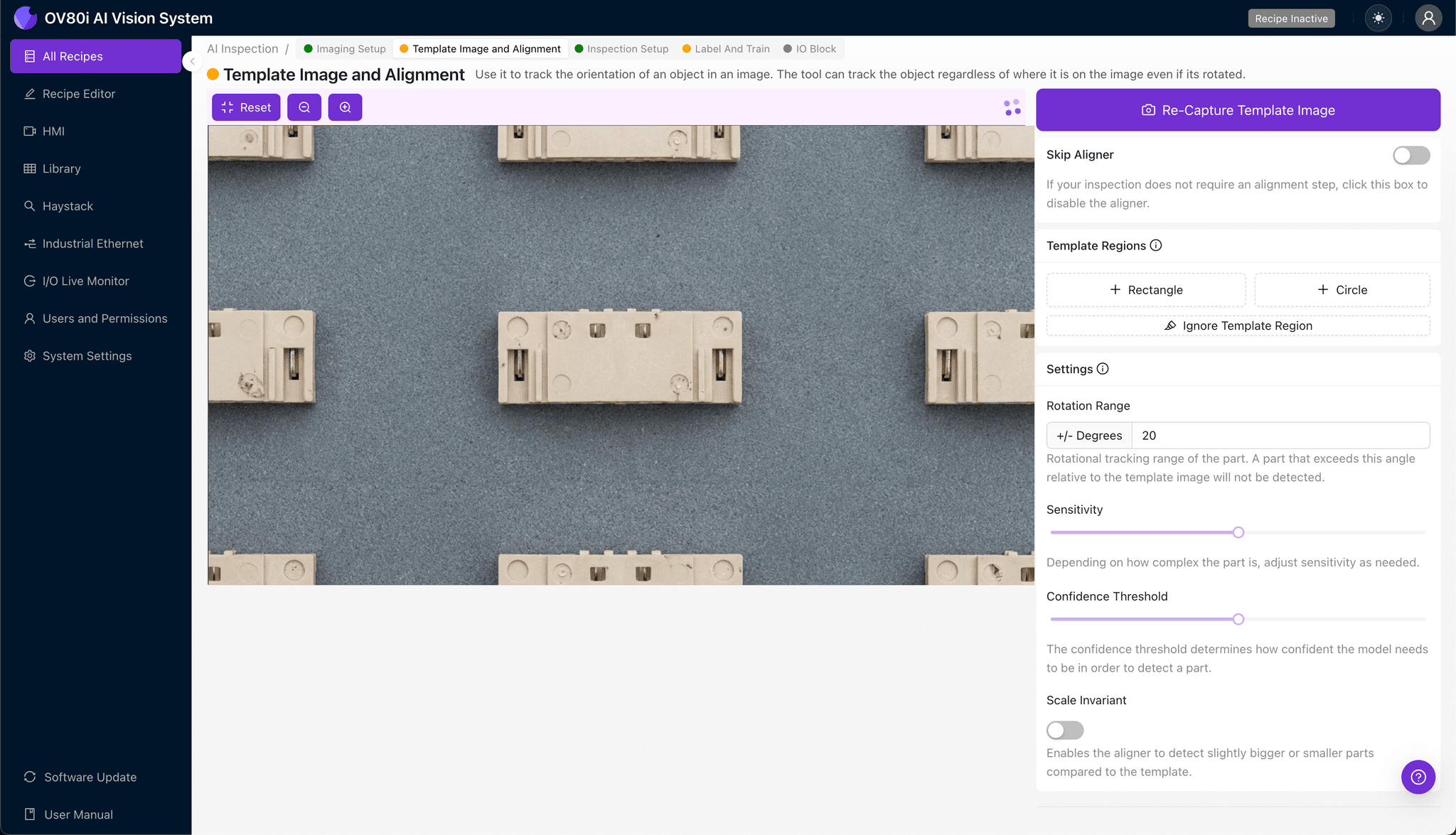
Navigate to "Template Image" in the setup menu and capture a reference image of a properly positioned connector wafer. This template anchors all future inspections to a known-good orientation.
Click "+ Rectangle" to add an alignment region around the main body of the connector wafer. Set "Rotation Range" to 20 degrees to accommodate minor part orientation variations on the production line.
Step 3: Inspection Region Selection
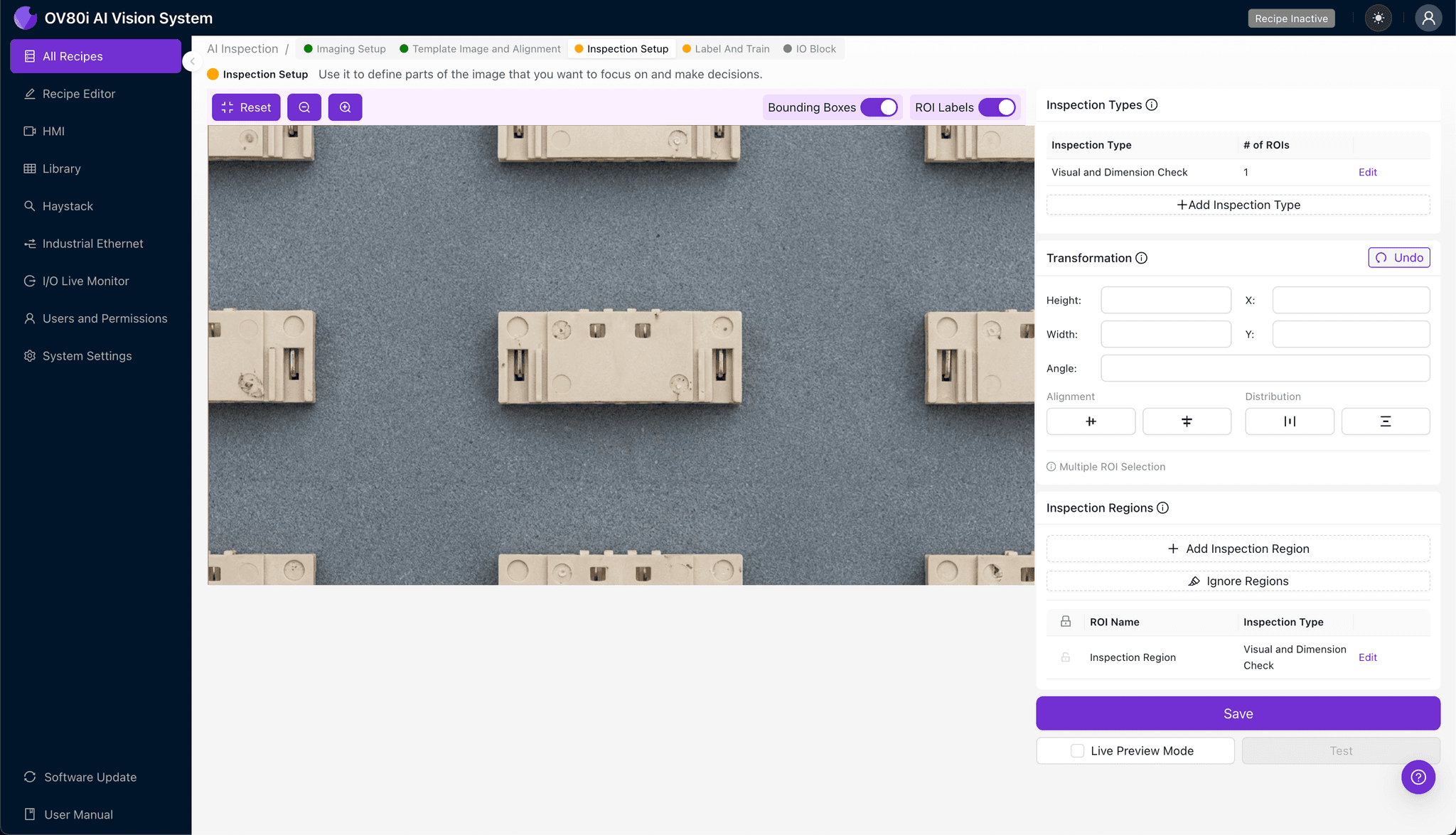
Navigate to "Inspection Setup" to define where the system should look for defects. Rename your "Inspection Types" to reflect specific defect categories—for example, "Pin_Mark_Depth" or "Surface_Cracking."
Click "+ Add Inspection Region" to create a new zone. Resize the yellow bounding box to cover the critical ejector pin mark areas where defects typically appear.
Click "Save" to confirm your inspection regions.
Step 4: Labeling Data
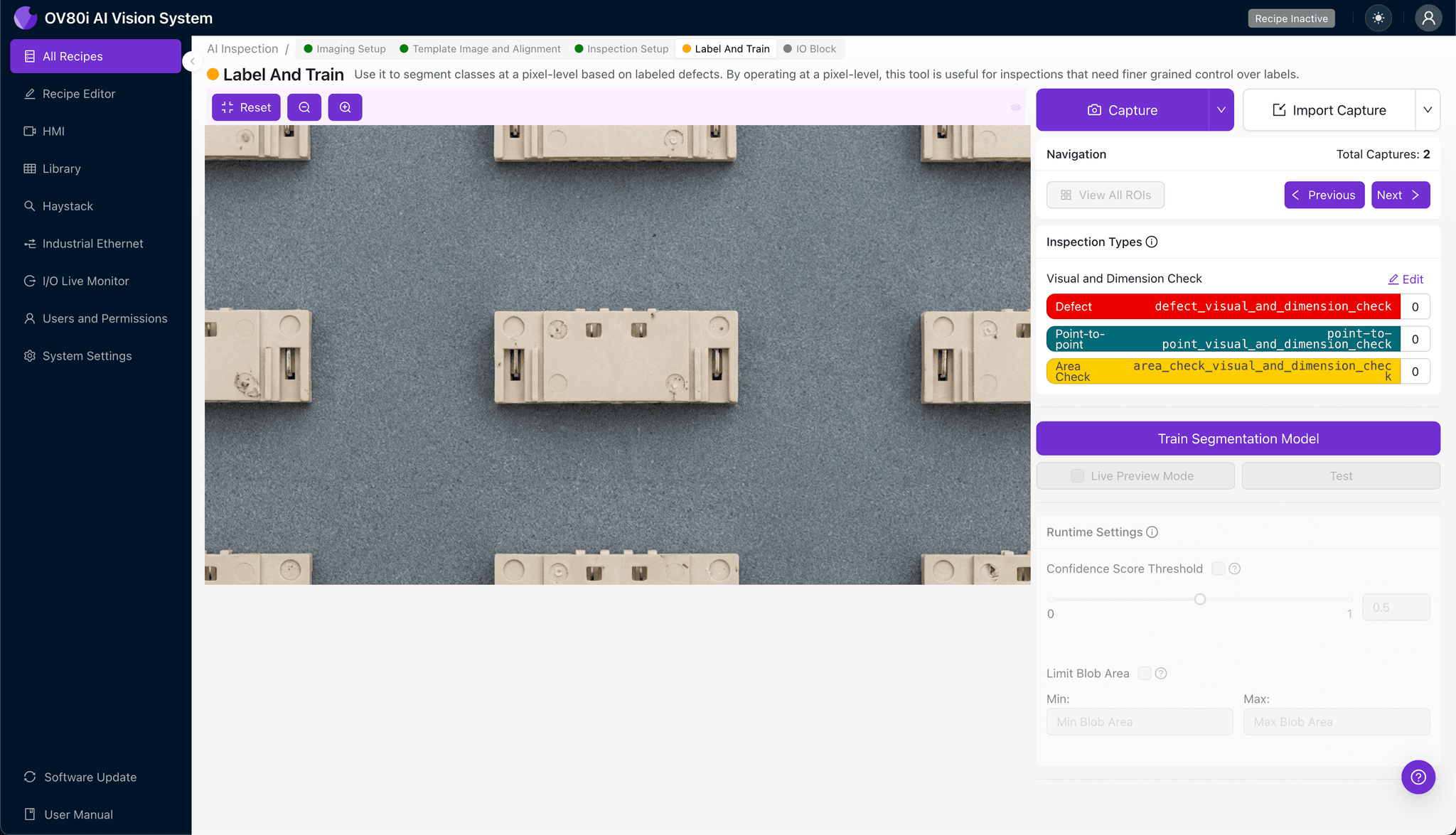
The human-in-the-loop labeling process is where your quality expertise trains the AI model. Review captured images and classify each as Good (acceptable pin marks within spec) or Bad (rejectable defects).
Include representative samples across the full range of acceptable parts and known failure modes. The more edge cases and borderline examples you label, the more robust your trained model becomes at distinguishing subtle defect variations.
Step 5: Creating Rules
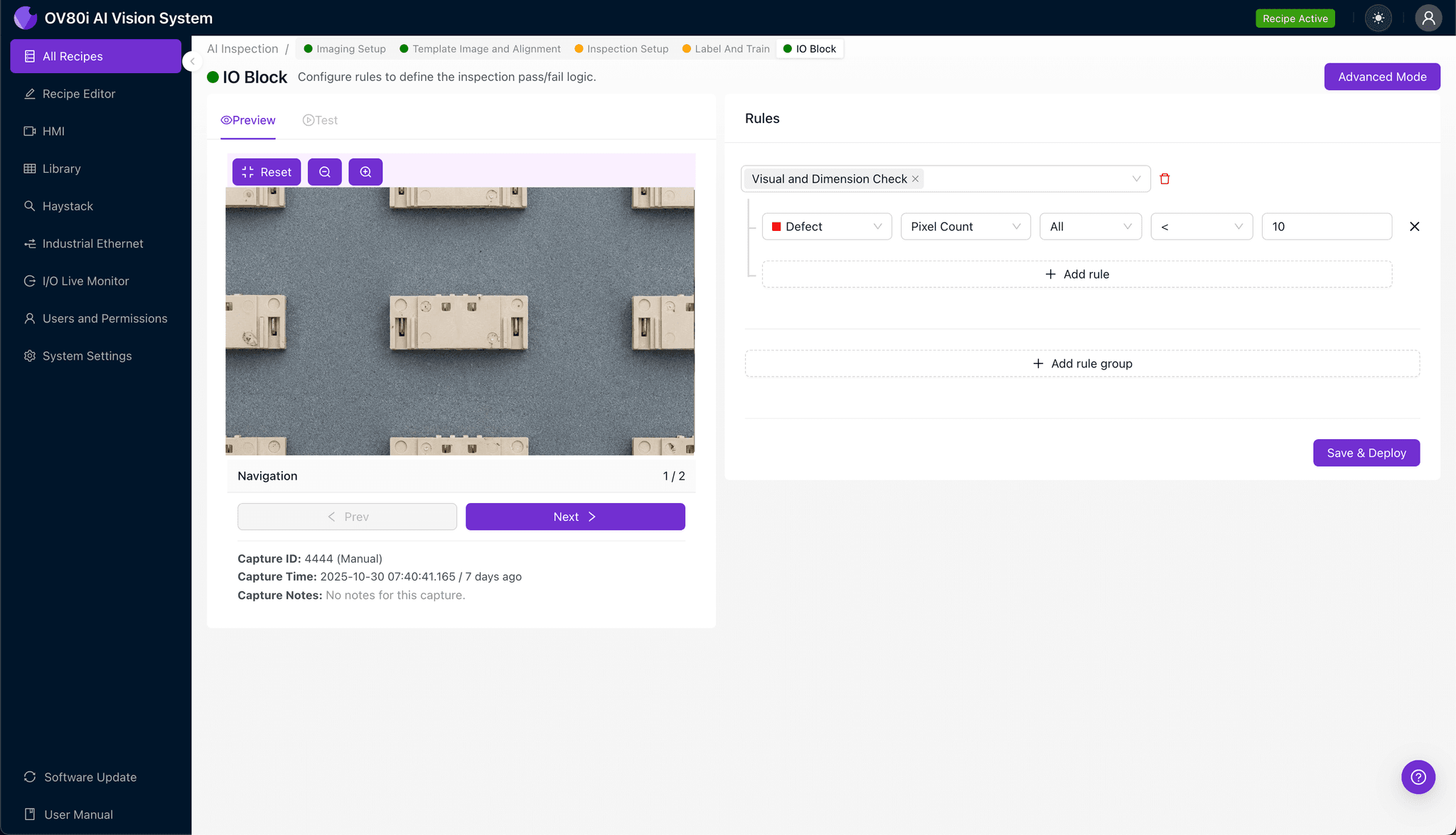
Set your pass/fail logic based on the Inspection Types you defined earlier. Configure thresholds that reflect your quality standards—for instance, flagging any part where "Pin_Mark_Depth" confidence exceeds your reject threshold.
These rules gate automated acceptance on the line, ensuring only conforming connector wafers proceed to the next production stage or shipment.
Key Outcomes & ROI
Implementing automated visual inspection for connector wafer ejector pin marks delivers measurable business impact:
- Reduced scrap rates – Catch defects earlier in the process before value-added operations
- Higher throughput – Inspect 100% of parts at line speed without creating bottlenecks
- Compliance and traceability – Automatically log inspection images and results for customer audits and quality documentation
- Process improvement insights – Trend defect data over time to identify tooling wear, machine drift, or upstream process issues before they escalate
Ready to Automate Your Connector Wafer Inspection?
Overview.ai's visual inspection platform transforms subjective quality decisions into consistent, data-driven outcomes. Contact our team to see how the OV80i can eliminate ejector pin mark escapes in your production environment.